Can I use Compressor Portable on a USB drive?
As a supplier of Compressor Portable, I often receive inquiries from customers about the usage scenarios and compatibility of our products. One common question that comes up is whether it's possible to use Compressor Portable on a USB drive. In this blog post, I'll delve into this topic and provide you with a comprehensive answer.
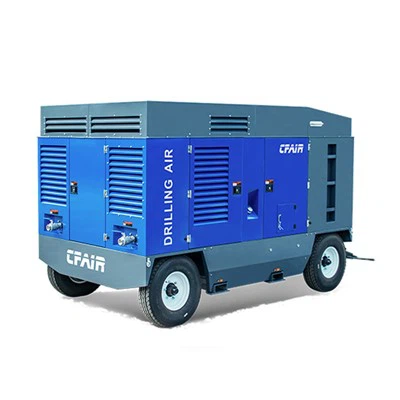
First, let's understand what Compressor Portable is. Our Compressor Portable is a highly versatile and efficient tool designed to meet various air - compression needs. It is suitable for a wide range of applications, from inflating tires to powering pneumatic tools on job sites. Its portability is one of its key selling points, allowing users to take it wherever they need it.
The Feasibility of Using Compressor Portable on a USB Drive
Technically speaking, using Compressor Portable directly on a USB drive is not a straightforward process. Compressor Portable is a physical device that operates based on mechanical and electrical principles, not a software program that can be run from a USB drive. However, there are some aspects where a USB drive can be related to the use of our Compressor Portable.


1. Data Storage and Software Updates
Some of our more advanced Compressor Portable models come with built - in control systems that can be updated. These updates may include performance enhancements, bug fixes, or new features. In such cases, a USB drive can be used as a medium to transfer the update files from our official website to the compressor's control unit. You simply download the update package onto the USB drive, insert the USB drive into the designated port on the compressor, and follow the on - screen instructions to complete the update process. This ensures that your compressor is always running at its best performance.
2. Diagnostic and Monitoring Data
Our Compressor Portable may be equipped with sensors that collect data on its operation, such as temperature, pressure, and runtime. This data can be useful for maintenance and troubleshooting. Some models allow you to export this data to a USB drive. By connecting the USB drive to a computer, you can analyze the data using our provided software or other relevant analysis tools. This helps in detecting potential issues early and ensuring the long - term reliability of the compressor.
Advantages of Using a USB - Related Approach
1. Convenience
Using a USB drive for software updates and data transfer is extremely convenient. You don't need to be connected to a network all the time. You can download the necessary files at your convenience and perform the operations offline. This is especially useful in remote job sites where network access may be limited.
2. Flexibility
USB drives are widely available and can be easily carried around. You can use different USB drives depending on your needs, and you can also transfer the data from one computer to another without any compatibility issues.
Our Compressor Portable Product Range
We offer a wide range of Compressor Portable products to meet different customer requirements.
- Biggest Portable Air Compressor: Our Biggest Portable Air Compressor is designed for heavy - duty applications. It provides high - volume air output, making it suitable for large - scale construction projects, industrial manufacturing, and other demanding tasks.
- Mobile Diesel Compressor: The Mobile Diesel Compressor is powered by a diesel engine, offering high power and mobility. It is ideal for outdoor job sites where electricity may not be readily available.
- 185 CFM Air Compressor: Our 185 CFM Air Compressor is a popular choice for medium - sized applications. It provides a balanced combination of air flow and pressure, suitable for a variety of pneumatic tools and tasks.
How to Ensure Compatibility
When using a USB drive in conjunction with our Compressor Portable, it's important to ensure compatibility.
- USB Drive Format: Make sure the USB drive is formatted in a compatible file system, such as FAT32 or NTFS. Most of our compressors support these common file systems.
- USB Drive Capacity: While our compressors can generally handle a wide range of USB drive capacities, it's recommended to use a drive with sufficient space for the data you want to transfer. For software updates, the size of the update package may vary, so a larger capacity drive is usually a safer choice.
Contact Us for Purchase and Consultation
If you are interested in our Compressor Portable products, whether you want to know more about using a USB drive with the compressor or are ready to make a purchase, we are here to assist you. Our team of experts can provide you with detailed product information, answer your questions, and help you choose the most suitable compressor for your needs. We also offer competitive pricing and excellent after - sales service. Don't hesitate to contact us for further discussion and negotiation.
References
- Manufacturer's Manuals for Compressor Portable products
- Technical Documentation on Compressor Portable features and functions